# 微信小程序获取用户手机号码的解析示例
> 作者/来源: UCloud 运营管理员
> 发布时间: 2022-11-20T05:55:00.000Z
> 分类: 其他
> 标签: AI, 前端
> 原文链接: http://117.50.162.249:3000/yun/articles/2106
---
# 微信小程序获取用户手机号码的解析示例
> 来源: https://www.ucloud.cn/yun/128377.html
> 作者: 3403771864
> 发布日期: 发布于2022-11-20 13:55
我们在做小程序开发的过程中,时常会要求录入用户身份信息,最常见的就是获取手机号码,当然可可以通过微信获取手机号码后可以减少很多操作,比如用户手机号码验证等,给用户发送手机验证码,本篇文章讲述的就是获取手机验证码。
获取用户手机号码 分为以下几步:
**第一点击页面获取授权按钮**
**第二获取用户授权参数**
**第三根据加解密算法解密手机号码**
接下来我们来实现以上三步
我们先看前段页面
```
获取用户信息
获取手机号码
{{userInfo.nickName}}
{{userInfo.phone}}
男
女
选择职业
{{array[index]}}
选择地区
{{items[i].name}}
注册
```
实现如下:
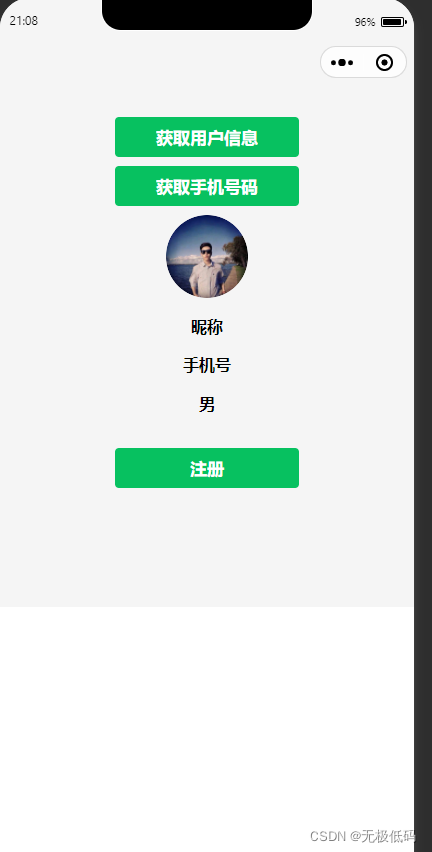
这里就不讲获取用户头像。
**接下来我们看关键代码**
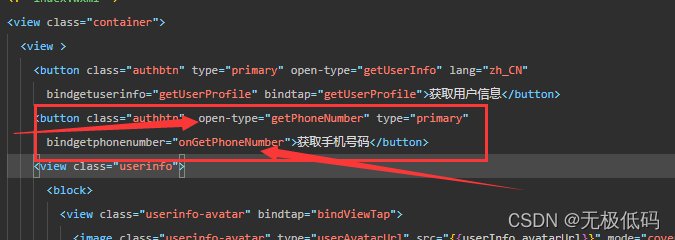
**此处定义**
getPhoneNumber是微信官方要求,获取用户手机号码授权
onGetPhoneNumber是回调函数,获取授权后会回调到该方法,也就是获取的电话号码就在这个函数的返回值里面。这里的名称可以自己取,上面的getPhoneNumber可不能随便修改。
接下来我们通过服务器获取授权
上代码:这里是js调用我们自己的后台,我们的后台再调用微信服务端
```
onGetPhoneNumber(e) {
var that = this;
wx.login({
success (res) {
if (res.code) {
console.log('步骤2获检查用户登录状态,获取用户电话号码!', res)
wx.request({
url: '这里写自己的获取授权的服务器地址',
data: {code: res.code},
header: {'content-type': 'application/json'},
success: function(res) {
console.log("步骤三获取授权码,获取授权openid,session_key",res);
var userphone=res.data.data;
wx.setStorageSync('userphoneKey',userphone);
//解密手机号
var msg = e.detail.errMsg;
var sessionID=wx.getStorageSync("userphoneKey").session_key;
var encryptedData=e.detail.encryptedData;
var iv=e.detail.iv;
if (msg == 'getPhoneNumber:ok') {//这里表示获取授权成功
wx.checkSession({
success:function(){
//这里进行请求服务端解密手机号
that.deciyption(sessionID,encryptedData,iv);
},
fail:function(){
// that.userlogin()
}
})
}
},fail:function(res){
console.log("fail",res);
}
})
} else {
console.log('登录失败!' + res.errMsg)
}
}
})
```
后台调用微信获取授权码
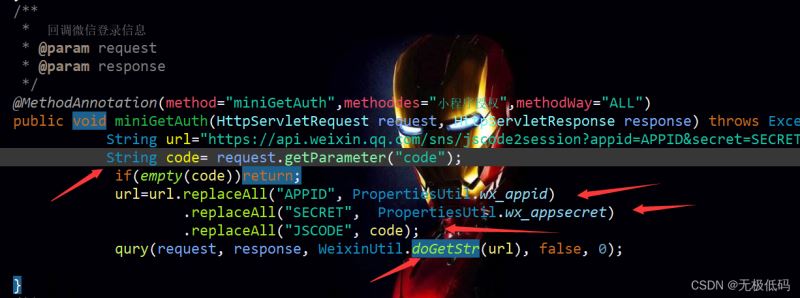
下面是我通过自己写的框架调用的,不懂的可以看下注释,不管是spring还是servlet只要请求能进到该方法即可,所以重点关注中间部分,把参数值传正确即可
```
/**
* 回调微信登录信息
* @param request
* @param response
*/
@MethodAnnotation(method="miniGetAuth",methoddes="小程序授权",methodWay="ALL")
public void miniGetAuth(HttpServletRequest request, HttpServletResponse response) throws Exception{
String url="https://api.weixin.qq.com/sns/jscode2session?appid=APPID&secret=SECRET&js_code=JSCODE&grant_type=authorization_code";
String code= request.getParameter("code");
if(empty(code))return;
url=url.replaceAll("APPID", PropertiesUtil.wx_appid)
.replaceAll("SECRET", PropertiesUtil.wx_appsecret)
.replaceAll("JSCODE", code);
qury(request, response, WeixinUtil.doGetStr(url), false, 0);
}
```
下面是工具类方法WeixinUtil.doGetStr(url)
```
/**
* get请求
* @param url
* @return
* @throws ParseException
* @throws IOException
*/
public static JSONObject doGetStr(String url) throws ParseException, IOException{
DefaultHttpClient client = new DefaultHttpClient();
HttpGet httpGet = new HttpGet(url);
JSONObject jsonObject = null;
HttpResponse httpResponse = client.execute(httpGet);
HttpEntity entity = httpResponse.getEntity();
if(entity != null){
String result = EntityUtils.toString(entity,"UTF-8");
jsonObject = JSONObject.fromObject(result);
}
return jsonObject;
}
```
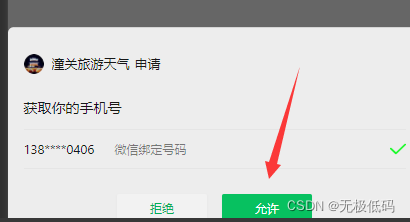
这个值可以返回给前端,前端可以收到如下参数
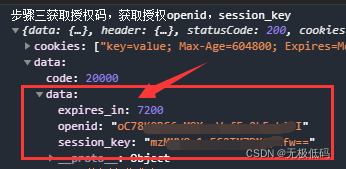
接着我们通过授权之后,获取第三个参数iv,调用下面方法进行服务端解密
that.deciyption(sessionID,encryptedData,iv);
```
deciyption(sessionID,encryptedData,iv){
var that = this;
console.log("步骤4根据秘钥解密手机号码sessionID:",sessionID);
wx.request({
url: '解密地址',
data: {
sessionID: sessionID,
encryptedData:encryptedData,
iv: iv
},
header: {'content-type': 'application/json'},
success: function(res) {
console.log("79",(res.data.code==20001));
if(res.data.code==20001){//这里不用管,可以删掉,我的框架里返回值20001是授权失败,可按照自己逻辑处理
console.log("获取失败,重新获取",res);
that.setData({
showPhone:true,
})
}else{
console.log("line 79", JSON.parse(res.data.data));
var json= JSON.parse(res.data.data);
wx.setStorageSync('userphone', JSON.parse(res.data.data).phoneNumber);
console.log("步骤5解密成功",res.data.data);
that.setData({
showPhone:false,
"userInfo.phone":wx.getStorageSync('userphone')
})
}
},fail:function(res){
console.log("fail",res);
}
})
}
```
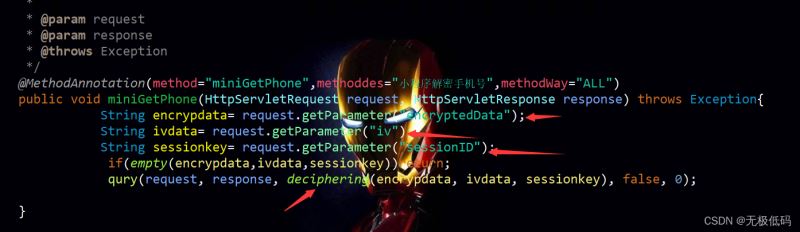
**服务端解密代码**
```
/**
*
* @param request
* @param response
* @throws Exception
*/
@MethodAnnotation(method="miniGetPhone",methoddes="小程序解密手机号",methodWay="ALL")
public void miniGetPhone(HttpServletRequest request, HttpServletResponse response) throws Exception{
String encrypdata= request.getParameter("encryptedData");
String ivdata= request.getParameter("iv");
String sessionkey= request.getParameter("sessionID");
if(empty(encrypdata,ivdata,sessionkey))return;
qury(request, response, deciphering(encrypdata, ivdata, sessionkey), false, 0);
}
```
deciphering解密方法
```
public static String deciphering(String encrypdata,String ivdata, String sessionkey) {
byte[] encrypData = Base64.decode(encrypdata);
byte[] ivData = Base64.decode(ivdata);
byte[] sessionKey = Base64.decode(sessionkey);
String str="";
try {
str = decrypt(sessionKey,ivData,encrypData);
} catch (Exception e) {
// TODO Auto-generated catch block
e.printStackTrace();
}
return str;
}
public static String decrypt(byte[] key, byte[] iv, byte[] encData) throws Exception {
AlgorithmParameterSpec ivSpec = new IvParameterSpec(iv);
Cipher cipher = Cipher.getInstance("AES/CBC/PKCS5Padding");
SecretKeySpec keySpec = new SecretKeySpec(key, "AES");
cipher.init(Cipher.DECRYPT_MODE, keySpec, ivSpec);
return new String(cipher.doFinal(encData),"UTF-8");
}
```
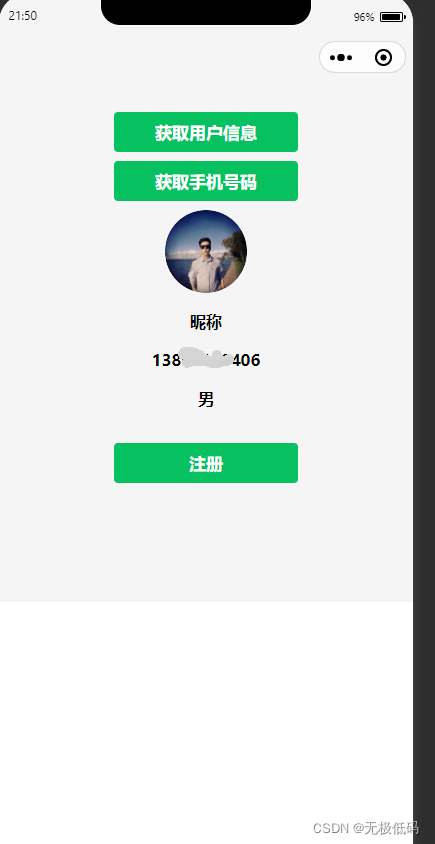
最终效果
内容讲到这里为止,欢迎大家关注更多精彩内容。